How Does a Smoothie Vending Machine Work? A Complete Guide for Commercial Buyers
For vending operators, distributors, importers and businesses planning an automated beverage project, a smoothie vending machine is much more than a traditional vending machine. Instead of simply dispensing a packaged drink, a commercial smoothie vending machine can combine ingredient storage, automatic dispensing, blending, cup dispensing, rinsing, payment and remote management into one self-service system.
If you are considering buying a commercial smoothie vending machine, you need to understand more than just whether the machine can make a smoothie. You should also know:
- How are frozen fruits stored?
- How is a smoothie prepared automatically?
- How are fruits, liquids and powders combined?
- How long does one smoothie take to prepare?
- How does the cleaning system work?
- Which payment methods can be integrated?
- Can the machine be monitored remotely?
- What locations are suitable for smoothie vending?
- Which specifications should buyers confirm before ordering?
This guide explains how a commercial smoothie vending machine works and what B2B buyers should evaluate before purchasing one.
A smoothie vending machine works in a simple sequence: the customer selects a drink and pays, the machine dispenses pre-set quantities of frozen fruit, liquid and powder, blends them automatically, serves the cup, and then rinses the key beverage components. Ingredient storage, blending, cup dispensing, payment and remote monitoring are handled by one self-service system — but operators still manage ingredient replenishment, cleaning, food safety, maintenance and site management.
- What Is a Smoothie Vending Machine?
- How Does a Smoothie Vending Machine Make a Smoothie?
- Why Do Smoothie Vending Machines Use Frozen Fruit?
- How Long Does It Take to Make a Smoothie?
- How Does a Smoothie Vending Machine Clean Itself?
- What Payment Methods Can a Smoothie Vending Machine Support?
- Can a Smoothie Vending Machine Be Managed Remotely?
- Where Can You Install a Smoothie Vending Machine?
- What Should You Check When Buying a Smoothie Vending Machine?
- Is a Smoothie Vending Machine Completely Unattended?
- 10 Questions to Ask a Smoothie Vending Machine Supplier
- Who Should Consider a YumBoxs Smoothie Vending Machine?
- What Should You Prepare Before Buying Your First Machine?
- Key Facts
- Frequently Asked Questions
What Is a Smoothie Vending Machine?
A smoothie vending machine is a commercial self-service beverage machine designed to store ingredients and automatically prepare smoothies according to predefined recipes.
A typical workflow is:
Customer selects a drink → Payment is confirmed → Ingredients are dispensed → Smoothie is blended → Drink is served → Machine rinses key components
Unlike a traditional vending machine that simply dispenses a packaged product, a smoothie vending machine combines several operating systems into one automated workflow. For businesses, this can reduce the amount of manual work involved in preparing individual drinks.
However, automated vending does not mean zero human operation. Operators still need to manage ingredients, cups, cleaning, machine inspection, food safety, maintenance and the vending location.
How Does a Smoothie Vending Machine Make a Smoothie?
The exact workflow depends on the machine model and configuration, but a commercial smoothie vending machine generally follows several steps.
1. The Customer Selects a Smoothie
The process begins when the customer selects a drink through the touchscreen interface. The operator can configure different products and recipes according to the business model.
Depending on the machine configuration, recipes may use combinations of:
- Frozen fruits
- Milk
- Juice
- Yogurt
- Powder ingredients
Before ordering a machine, buyers should determine what they actually plan to sell. For example:
- Which smoothie flavors will you offer?
- Which fruits will you use?
- Will you use milk, juice or yogurt?
- Will you add protein or nutritional powders?
- Which languages should the interface support?
- Do you need your own logo and branded menu?
These requirements can affect the final machine configuration. For more information about the machine itself, see the YumBoxs Smoothie Vending Machine product page.
2. The Machine Automatically Dispenses the Ingredients
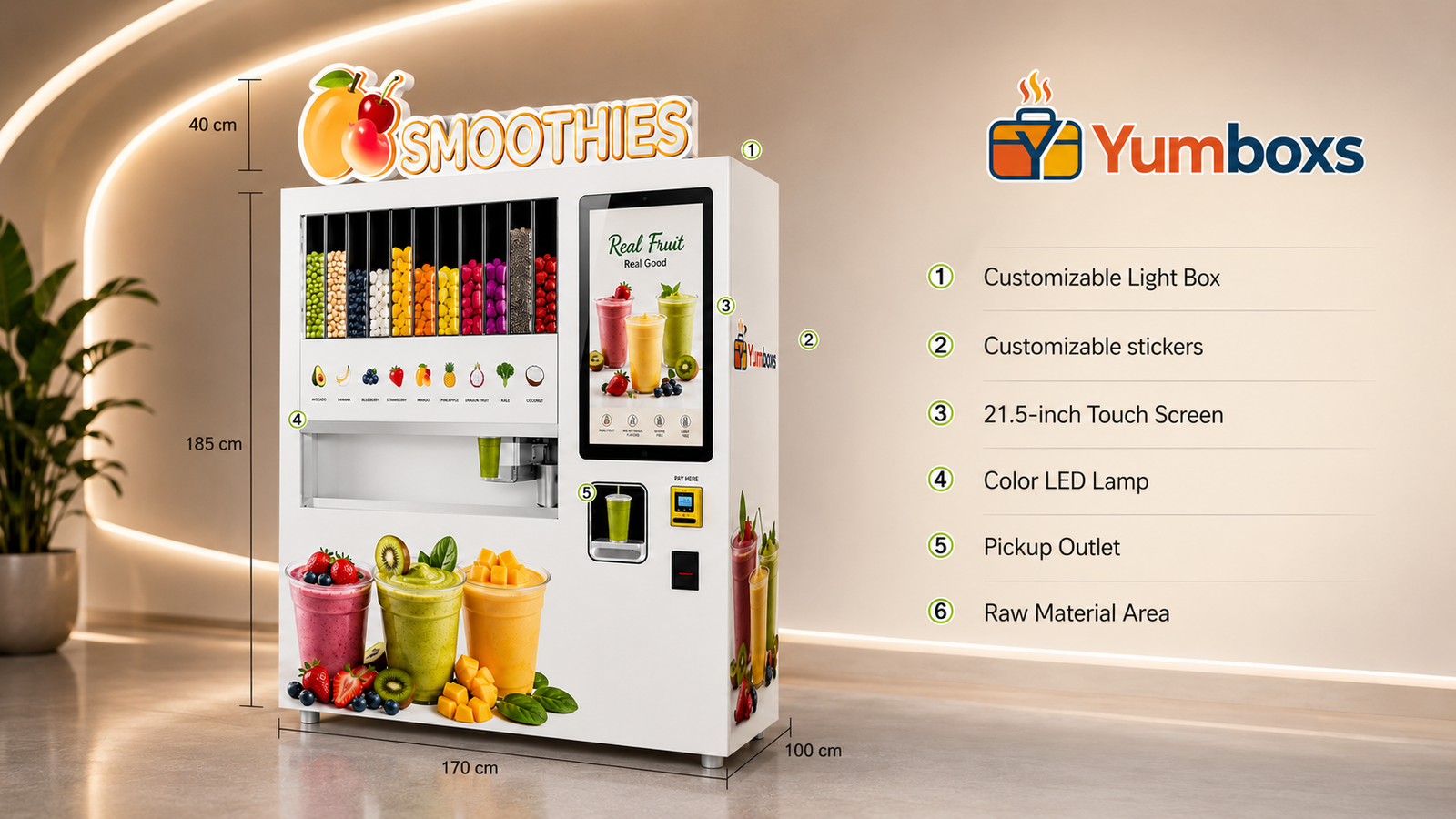
The ingredient system is one of the most important parts of a smoothie vending machine. The current YumBoxs TXJ-018 configuration includes:
- 8 frozen fruit bins, approximately 10L each
- 4 liquid tanks, approximately 2L each
- 4 powder bins, approximately 2L each
Different ingredients are stored in their corresponding compartments. Once the customer selects a recipe, the machine uses the predefined recipe settings to dispense the required ingredients before blending.
This multi-compartment design allows operators to manage different ingredients and prepare different smoothie recipes through an automated process. However, the exact ingredients, recipe options and menu configuration should be confirmed according to the final machine configuration and project requirements.
Why Do Smoothie Vending Machines Use Frozen Fruit?
Frozen fruit is an important ingredient format for many automated smoothie systems. In a traditional smoothie shop, employees may need to prepare, cut, portion, store and manually combine fruit for every order. With an automated system, ingredients can be stored in separate compartments and dispensed according to predefined recipes.
This can help standardize the preparation process and reduce some manual ingredient handling. However, using frozen ingredients does not eliminate the need for proper food management. Operators still need to consider:
- Frozen fruit supply
- Ingredient storage
- Cold-chain requirements
- Replenishment frequency
- Food safety procedures
- Local food regulations
For this reason, buyers should evaluate the complete ingredient and operating workflow, rather than looking only at the vending machine itself.
How Long Does It Take to Make a Smoothie?
Preparation time is one of the specifications that buyers often compare when evaluating different smoothie vending machines. According to the current YumBoxs TXJ-018 product information:
The preparation time is approximately 1–3 minutes per cup.
Actual preparation time can vary depending on the recipe, ingredient condition and operating environment. For commercial buyers, it is therefore better to evaluate more than the supplier’s advertised fastest preparation time. Consider:
- Average preparation time per cup
- Continuous production capability
- Peak-period performance
- Ingredient replenishment frequency
- Daily cleaning requirements
- Maintenance requirements
- Remote monitoring capability
For a commercial operation, overall operating efficiency is usually more important than the fastest result achieved during a single test.
How Does a Smoothie Vending Machine Clean Itself?
Cleaning and maintenance are important considerations when purchasing a smoothie vending machine. Ingredients such as fruit, milk and yogurt require appropriate cleaning procedures for food-contact components.
The YumBoxs TXJ-018 includes an automatic rinsing function: the machine automatically rinses after each smoothie. At the same time, operators still need to perform routine manual cleaning and maintenance according to the machine’s operating requirements. Current product information recommends:
- Automatic rinsing after each smoothie
- Daily manual wiping and maintenance
- Routine equipment inspection according to actual usage
When comparing machines, don’t simply ask “Does the machine have automatic cleaning?” Also ask:
- Which parts are automatically rinsed?
- Which components require manual cleaning?
- How long does daily cleaning take?
- Is periodic deep cleaning required?
- Is a cleaning SOP provided?
- How are food-contact components removed and maintained?
These questions are more useful for evaluating long-term operation. For a more detailed food-safety perspective, see the Smoothie Vending Machine Food Safety Checklist.
What Payment Methods Can a Smoothie Vending Machine Support?
Payment is another important part of a commercial vending project. Payment preferences vary significantly between countries and locations, so the payment configuration should be discussed before production.
Depending on the project, a YumBoxs smoothie vending machine can be configured with payment options such as:
- Coin payment
- Bill payment
- Bank card payment
- NFC contactless payment
- MDB interface
- Other compatible local payment systems
For example, a machine installed in a market where customers commonly use contactless cards may require a different payment configuration from a machine installed in a market where cash or QR-code payments are more common. Before ordering, buyers should confirm:
- Which payment protocols are supported?
- Does the machine support MDB?
- Can it connect to the required local payment terminal?
- Is NFC supported?
- Who supplies the payment terminal?
- How are the payment hardware and machine software integrated?
- Is on-site commissioning required after installation?
Payment should be confirmed before production, rather than being treated as something to solve after the machine has been manufactured. For a broader explanation, see our guide to Vending Machine Payment Systems.
Can a Smoothie Vending Machine Be Managed Remotely?
Remote management becomes increasingly important as the number of machines increases. If an operator has to visit every machine simply to check its status, operating and maintenance costs can increase as the network grows.
The YumBoxs TXJ-018 supports Wi-Fi, Ethernet and optional 4G for network connectivity and backend management. Depending on the final software configuration, the backend can provide functions such as:
- Sales data
- Machine status
- Alarm information
- Menu and recipe-related settings
- Price and advertising settings
The exact backend functions depend on the final software and project configuration. For an operator expanding from one pilot machine to multiple locations, remote management can help reduce unnecessary site visits and improve operational visibility.
Where Can You Install a Smoothie Vending Machine?
The machine itself does not determine whether a location will work commercially. A successful vending project depends on several factors:
Qualified traffic × target customers × purchasing demand × product positioning × site conditions × operating capability
Potential locations to evaluate include:
Gyms
Gym customers may have a strong interest in convenient beverages, nutrition and post-workout products. A smoothie vending machine can therefore complement existing beverage services in suitable fitness locations.
Universities and Schools
Educational campuses can provide concentrated customer groups and recurring traffic. Self-service beverage equipment can offer students convenient access to drinks during the day.
Shopping Malls
Malls can provide significant foot traffic and are also suitable environments for visually distinctive automated retail equipment.
Office Buildings
Smoothie vending machines can provide convenient beverage access in workplaces, particularly where full-service food and beverage options are limited.
Hotels, Hospitals and Other Commercial Locations
These locations require additional evaluation of:
- Customer traffic
- Operating hours
- Food management
- Available space
- Power supply
- Cleaning and maintenance
- Site access
A high-traffic location does not automatically mean it is a good vending location. The more important question is whether the people using the location have a real reason to purchase the product and whether the operator can maintain the machine properly.
What Should You Check When Buying a Smoothie Vending Machine?
If you are a vending operator, distributor, importer or commercial project buyer, compare machines across several areas rather than focusing only on price.
1. Ingredient System
Confirm:
- Frozen fruit capacity
- Liquid capacity
- Powder capacity
- Ingredient replenishment method
- Ingredient storage requirements
- Recipe management capabilities
2. Preparation Capability
Confirm:
- Preparation time per cup
- Continuous production capability
- Peak-period performance
- Recommended daily usage
3. Cleaning System
Confirm:
- Automatic rinsing
- Rinsing coverage
- Daily manual cleaning
- Deep-cleaning requirements
- Cleaning SOP availability
4. Payment System
Confirm:
- MDB
- Bank cards
- NFC
- Bills
- Coins
- Local payment compatibility
5. Electrical Requirements
The current YumBoxs TXJ-018 product information specifies:
- Power: approximately 2,000W
- Voltage: 110–240V
- Frequency: 50/60Hz
The final requirements should still be confirmed according to the destination market and final machine configuration.
6. Dimensions, Weight and Installation
Current TXJ-018 information specifies approximately 1,650 × 800 × 1,940 mm. Packaging volume is approximately 2.5–3 CBM. Current technical information lists approximately:
- Net weight: 545 kg
- Gross weight: 645 kg
Before confirming the installation location, buyers should also check:
- Door width
- Elevator dimensions
- Floor conditions
- Floor load capacity
- Transportation route
- Final installation space
These issues should ideally be confirmed before placing an order.
Is a Smoothie Vending Machine Completely Unattended?
This is one of the most common questions from first-time buyers. The answer is: automated vending does not mean zero human operation.
The machine can automate many standardized preparation steps, but operators still need to manage:
- Fruit and ingredient replenishment
- Cup replenishment
- Daily cleaning
- Equipment inspection
- Ingredient management
- Payment-system checks
- Troubleshooting
- Site management
- Sales-data review
A more accurate way to understand the value of a smoothie vending machine is:
It automates a large part of the standardized beverage preparation process rather than eliminating the need for operational management.
This distinction is important when estimating the resources required for a commercial vending project.
10 Questions to Ask a Smoothie Vending Machine Supplier
If you are comparing different suppliers, use this checklist before placing an order.
- What ingredients can the machine handle? Confirm whether the machine supports your planned fruits, liquids, powders and recipes.
- How many fruit, liquid and powder compartments are included? Confirm the actual capacity and configuration.
- What is the average preparation time per cup? Ask for actual machine information rather than relying only on the fastest advertised time.
- What cleaning functions are automated? Understand exactly which components are automatically rinsed and which require manual cleaning.
- What daily maintenance is required? Ask about cleaning, inspection, replenishment and routine maintenance.
- What payment systems are supported? Confirm card, NFC, cash, QR-code, MDB and local payment compatibility where required.
- Does the machine support MDB? This can be particularly important when integrating third-party vending payment systems.
- Can the machine be monitored remotely? Ask what network connections and backend functions are actually included.
- What are the power, dimensions and weight requirements? These specifications affect installation, transportation and site preparation.
- What after-sales and spare-parts support is available? Confirm warranty terms, technical support, installation guidance and spare-parts availability before ordering.
A supplier that cannot clearly answer these questions may make it difficult to evaluate the machine’s suitability for your project.
Who Should Consider a YumBoxs Smoothie Vending Machine?
YumBoxs smoothie vending machines are designed for commercial applications, rather than household use. Potential buyers and project types include:
- Vending machine operators
- Vending machine importers
- Vending machine distributors
- Commercial food-equipment distributors
- Gym operators
- Shopping mall projects
- University and campus projects
- Hotels and commercial facilities
- Businesses exploring automated beverage retail
If you are planning your first machine, start by answering three questions:
- Where will the machine operate? Define the country, city and specific location type.
- Who will buy the drinks? Identify the target customers, such as students, gym users, office workers or mall visitors.
- Who will operate the machine? Determine who will handle replenishment, cleaning, maintenance and site management.
These questions are often more useful at the beginning of a project than simply asking for the machine price.
What Should You Prepare Before Buying Your First Smoothie Vending Machine?
Before placing an order, prepare the following so that your project can move from deposit to operation without avoidable delays:
- A product plan — the flavors, fruit, liquids and powders you intend to sell, and any branded menu requirement.
- A location plan — the country, site type, space, power supply and access route, including door width, elevator dimensions and floor load.
- A payment plan — the local payment methods and terminal supplier, and whether MDB or NFC integration is required.
- An operating plan — who will replenish ingredients, clean the machine, inspect equipment and manage the site.
- A compliance plan — the local food-safety, labelling and electrical requirements for the destination market.
Confirming these points early helps the supplier match the final machine configuration, voltage, language, payment setup and menu to your actual project.
Key Facts
- Workflow: select → pay → dispense → blend → serve → rinse
- Current YumBoxs TXJ-018: 8 frozen fruit bins (~10L), 4 liquid tanks (~2L), 4 powder bins (~2L)
- Preparation time: approximately 1–3 minutes per cup
- Cleaning: automatic rinse after each smoothie, plus routine manual cleaning
- Payment: coin, bill, bank card, NFC and MDB-compatible options
- Connectivity: Wi-Fi, Ethernet, optional 4G
- Power: ~2,000W; Voltage: 110–240V (50/60Hz)
- Dimensions: ~1,650 × 800 × 1,940 mm; Net ~545 kg / Gross ~645 kg
- Designed for commercial projects — automated vending still requires operator management
Frequently Asked Questions
- How does a smoothie vending machine work?
- A smoothie vending machine stores frozen fruit, liquid and powder ingredients in separate compartments. When a customer selects a recipe and pays, the machine dispenses predefined quantities of each ingredient, blends the smoothie automatically, serves the cup and then rinses the key beverage components. Operator settings define the recipes, menu, prices and payment options.
- How long does a smoothie vending machine take to make a smoothie?
- According to current YumBoxs TXJ-018 product information, preparation time is approximately 1–3 minutes per cup. Actual time varies with the recipe, ingredient condition and operating environment, so buyers should evaluate average preparation time and peak-period performance rather than only the fastest advertised time.
- Do smoothie vending machines use frozen fruit?
- Frozen fruit is a common ingredient format for automated smoothie systems because it can be stored in separate compartments and dispensed according to predefined recipes. Operators still need to manage frozen fruit supply, cold-chain requirements, replenishment frequency and local food regulations.
- Does a smoothie vending machine clean itself?
- The YumBoxs TXJ-018 automatically rinses after each smoothie. Operators must still perform routine manual wiping and maintenance, and should confirm exactly which components are automatically rinsed, which require manual cleaning, and whether a cleaning SOP is provided.
- Can a smoothie vending machine be managed remotely?
- Yes. The YumBoxs TXJ-018 supports Wi-Fi, Ethernet and optional 4G. Depending on the final software configuration, the backend can provide sales data, machine status, alarms, menu and recipe settings, and price and advertising settings — which helps operators manage multiple machines with fewer site visits.
About YumBoxs
YumBoxs is a professional smart vending machine manufacturer based in Guangzhou, China, founded in 2017. The company supplies commercial vending machines for operators, distributors, importers and commercial location owners worldwide, including USA and Mexico markets. Core products include:
- Fresh fruit smoothie vending machines
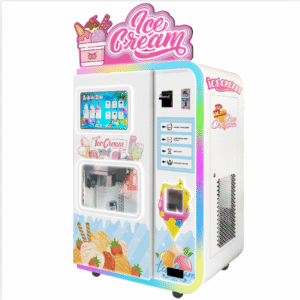
- Ice cream vending machines
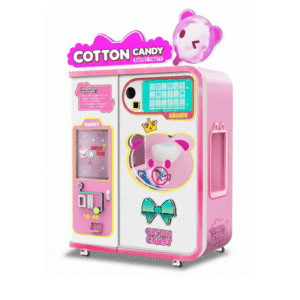
- Cotton candy vending machines
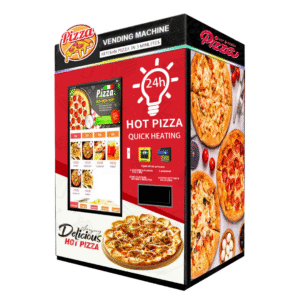
- Hot food vending machines
YumBoxs supports OEM/ODM customization, brand and language configuration, and destination-market setup including 110V North America voltage. Machines are offered with CE, FCC, RoHS and ISO9001-related compliance information, and each unit is checked through factory testing before shipment.
Planning a smoothie vending project?
Tell the YumBoxs team your target market, location type and volume, and we will help match the machine configuration, voltage, payment setup, language and menu to your project.
- Email: kevin.zhang@yumboxs.com
- Phone / WhatsApp: +86 137 7253 6065
- Product page: Smoothie Vending Machine for Sale
- More guides: YumBoxs Blog